
If your folding cover is detaching too easily from your USBC-PDMON portable monitor, it is likely not securely attached to the rear of the device.
How to Secure the Folding Cover
- Position the cover so it aligns correctly with the back of the monitor.
- Locate the pinch points in the plastic disc on the rear of the cover:
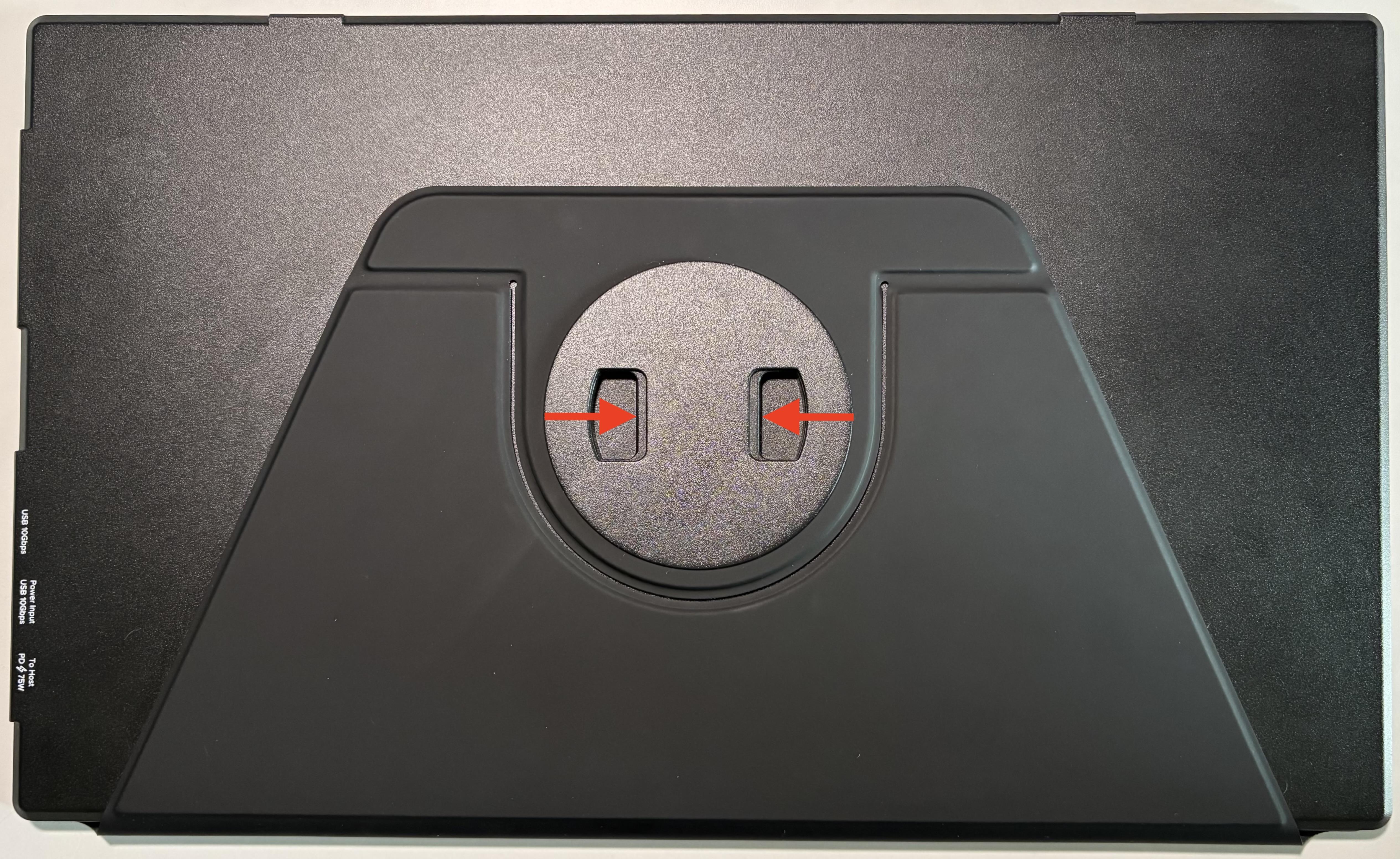
- Gently squeeze these points to disengage the latching mechanism.
- While squeezing the pinch points, gently push the cover into the back of the display until it clicks into place.
- Release the pinch points and check that the cover is securely connected to the portable monitor.
By ensuring the cover is properly aligned and secured with a click, it should stay firmly attached and prevent it from coming off unintentionally.
Applicable To
Plugable USBC-PDMON
